
Bitcoin Wallet - ArcBit1.0.21 - Get APK
You'll be able to download in few seconds.
Publisher Description


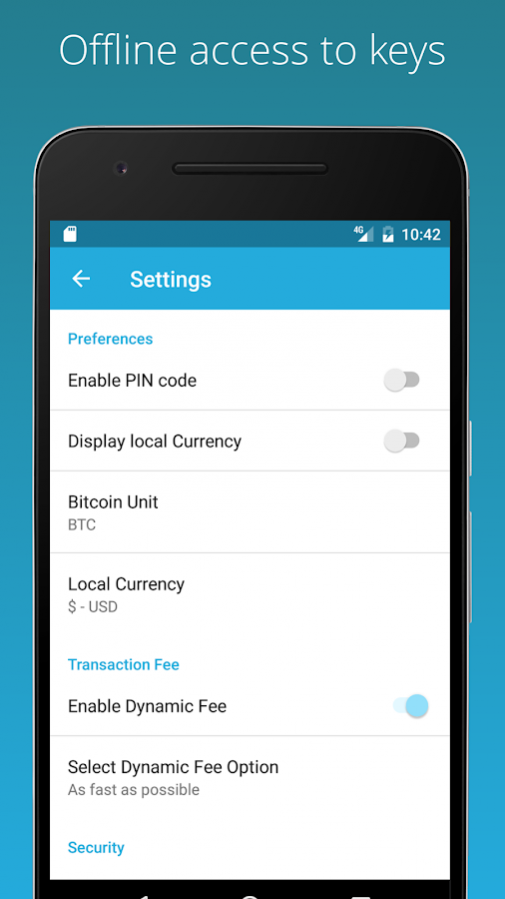


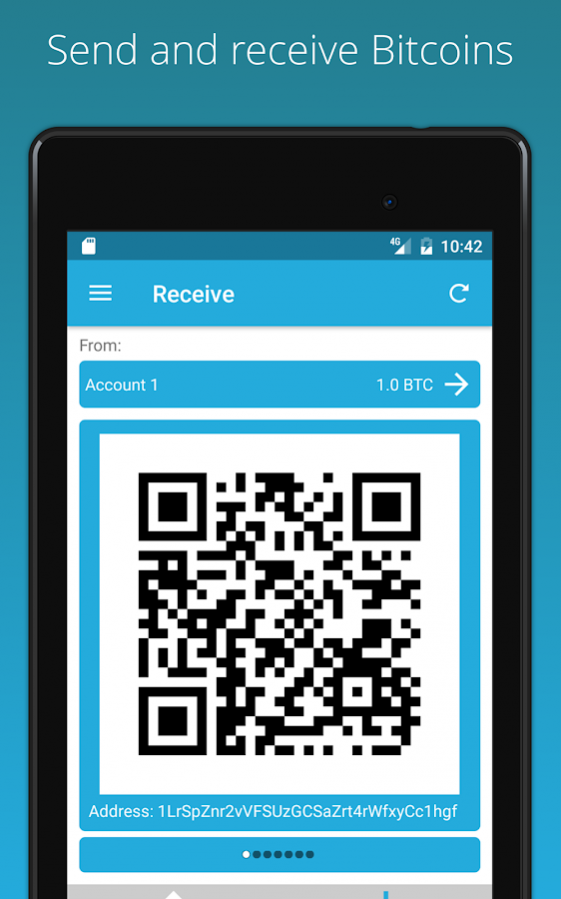

A simple, secure user controlled bitcoin wallet.
Download our free, secure and all-new Bitcoin Wallet today and start using bitcoins instantly! No signup required.
Simplicity and security are part of ArcBit’s core design principle. A simple recovery phrase is all you need to restore your wallet on another device if yours is ever lost. Your balance and entire transaction history can be restored from just your backup passphrase.
We've also added new cold storage wallet feature where you can create as many offline cold wallets, spend and receive bitcoins into them without having to expose your private keys to an online device.
Features:
- No signup required
- Single recovery passphrase that works forever
- Private keys never leave your device
- All new offline cold wallet storage feature
- Faster loading time compared to other wallets
- Send and receive bitcoin payments
- View transactions and wallet balance
- PIN protection
- Email support built into app
- Over 150 local currencies support
- Bitcoin, millibits and bits denomination support
- Dedicated help section for any question about how to use the app
- Open source
- Advance mode for Bitcoin experts
Advance features:
- Pick Your Preferred block explorer API, currently we support Bitpay’s Insight and blockchain.info.
- Import private keys (including BIP 38) support
- Import watch only addresses support
- Import wallet account keys support
- Import wallet watch only account keys support
About Bitcoin Wallet - ArcBit
The company that develops Bitcoin Wallet - ArcBit is ArcBit. The latest version released by its developer is 1.0.21.
To install Bitcoin Wallet - ArcBit on your Android device, just click the green Continue To App button above to start the installation process. The app is listed on our website since 2018-01-15 and was downloaded 0 times. We have already checked if the download link is safe, however for your own protection we recommend that you scan the downloaded app with your antivirus. Your antivirus may detect the Bitcoin Wallet - ArcBit as malware as malware if the download link to com.arcbit.arcbit is broken.
How to install Bitcoin Wallet - ArcBit on your Android device:
- Click on the Continue To App button on our website. This will redirect you to Google Play.
- Once the Bitcoin Wallet - ArcBit is shown in the Google Play listing of your Android device, you can start its download and installation. Tap on the Install button located below the search bar and to the right of the app icon.
- A pop-up window with the permissions required by Bitcoin Wallet - ArcBit will be shown. Click on Accept to continue the process.
- Bitcoin Wallet - ArcBit will be downloaded onto your device, displaying a progress. Once the download completes, the installation will start and you'll get a notification after the installation is finished.
Program Details
System requirements
Download information
Pricing
Version History
version 1.0.21
posted on 2018-01-15
Fix Chinese translations
version 1.0.5
posted on 2017-01-28
copy changes
Disclaimer
External Download
We do not host Bitcoin Wallet - ArcBit on our servers. We did not scan it for viruses, adware, spyware or other type of malware. This app is hosted by Galad and passed their terms and conditions to be listed there. We recommend caution when installing it.
The APK Download link for Bitcoin Wallet - ArcBit is provided to you by apps112.com without any warranties, representations or guarantees of any kind, so access it at your own risk.
If you have questions regarding this particular app contact the publisher directly. For questions about the functionalities of apps112.com contact us.
